For bowlers, free on Android and iPhone

Your numbers, drilled right.

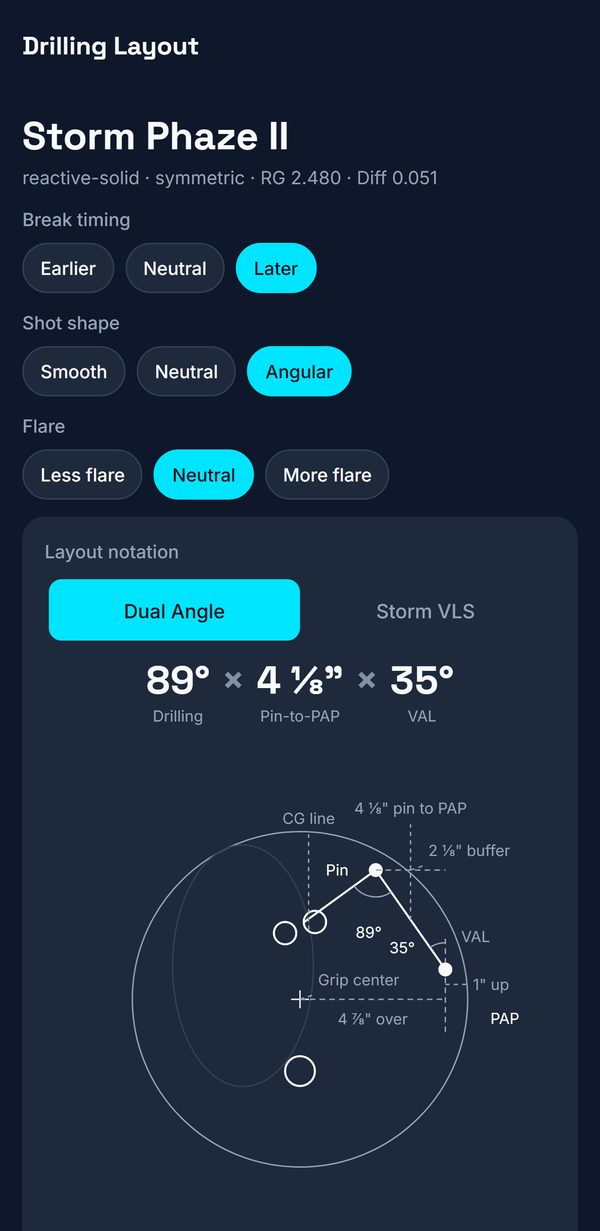
LayoutQ turns your PAP, ball speed, and rev rate into a drilling layout for a catalog ball whose core type is on file, tracks what is in your bag and when each ball is due for work, and gives adjustments as the lane breaks down.

40°
angle from the pin
4"
pin to your PAP
45°
VAL angle
Download LayoutQ on the App Store Get LayoutQ on Google Play
LayoutQ recommending a ball with its drilling layout
  1. Enter your numbers
  2. Pick a ball from the catalog
  3. Take the layout to your shop
  4. Track it in a live session

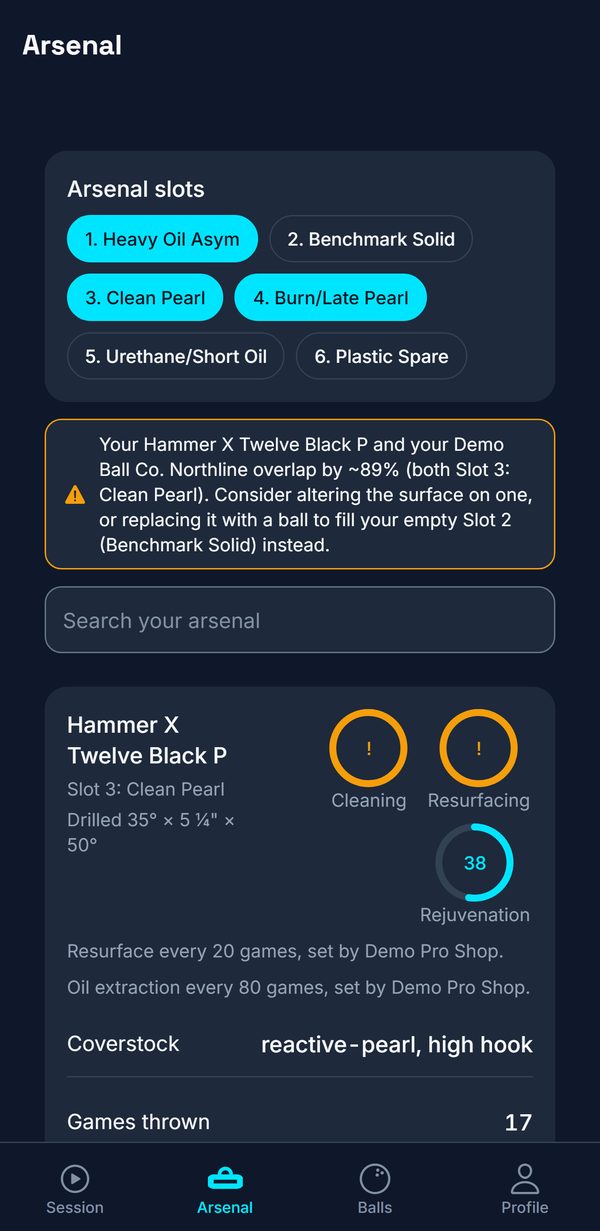
LayoutQ groups a bag into six slots.

Each ball with its drilled layout and current surface. LayoutQ counts games since the last clean, resurface, and oil extraction, and nudges you when a pad is due. Reset to the factory finish.

  • Slot coverage
  • Maintenance rings
  • Share your bag by QR
Arsenal screen with slot coverage and maintenance counters

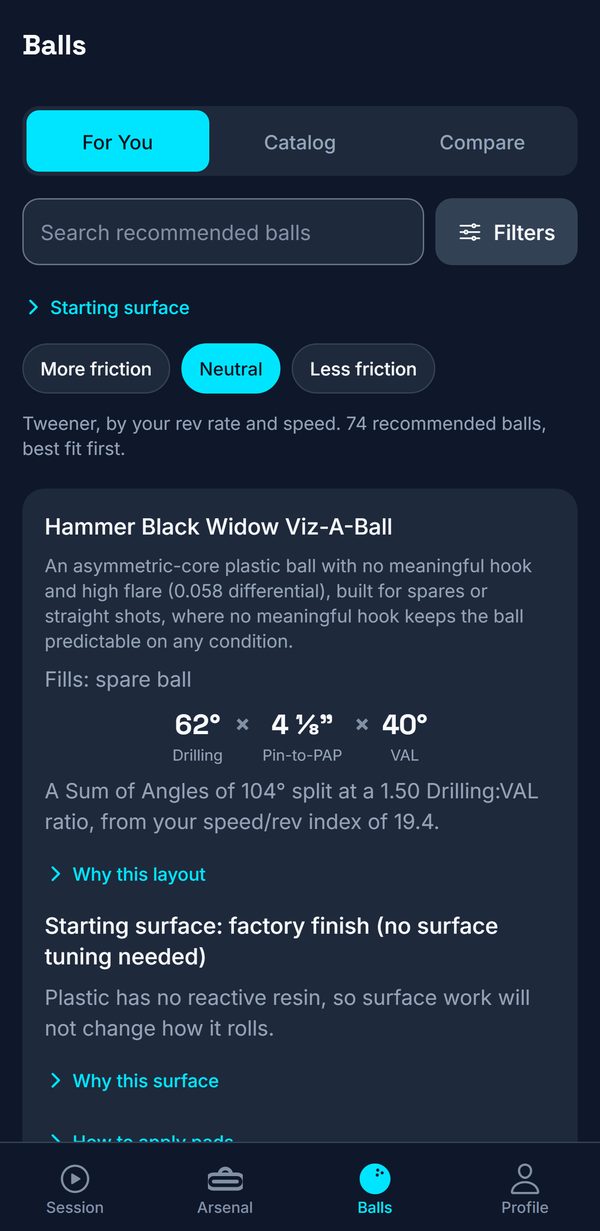
More than 1,000 bowling balls.

Each ball lists its coverstock, RG and differential, and its core type where one is on file. Recommendations fill the gaps in your bag, each with a suggested layout and a starting surface.

  • Brand and performance level
  • Compare two balls
  • Gap analysis
Ball catalog filtered by brand

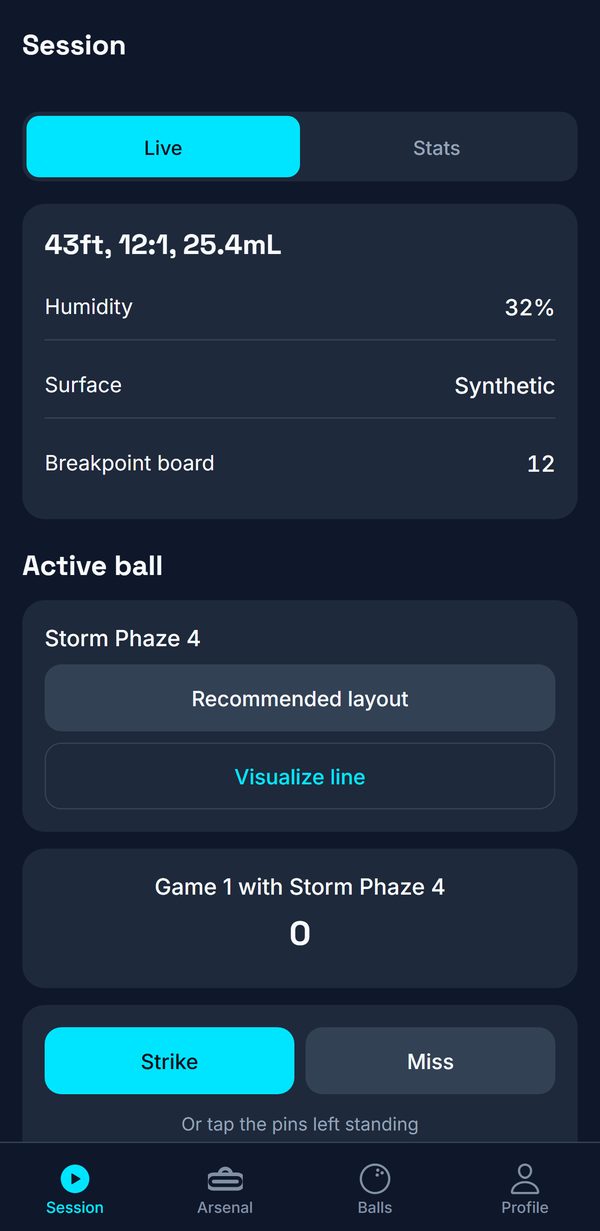
Adjustments as the lane transitions.

Pick a house shot or a sport pattern, log shots, and get feet and target moves, ball changes, and a polish suggestion where it would help. Score frame by frame.

  • Kegel patterns
  • Spare targets
Session setup with the oil pattern, lane surface, and your line

Step the numbers yourself.

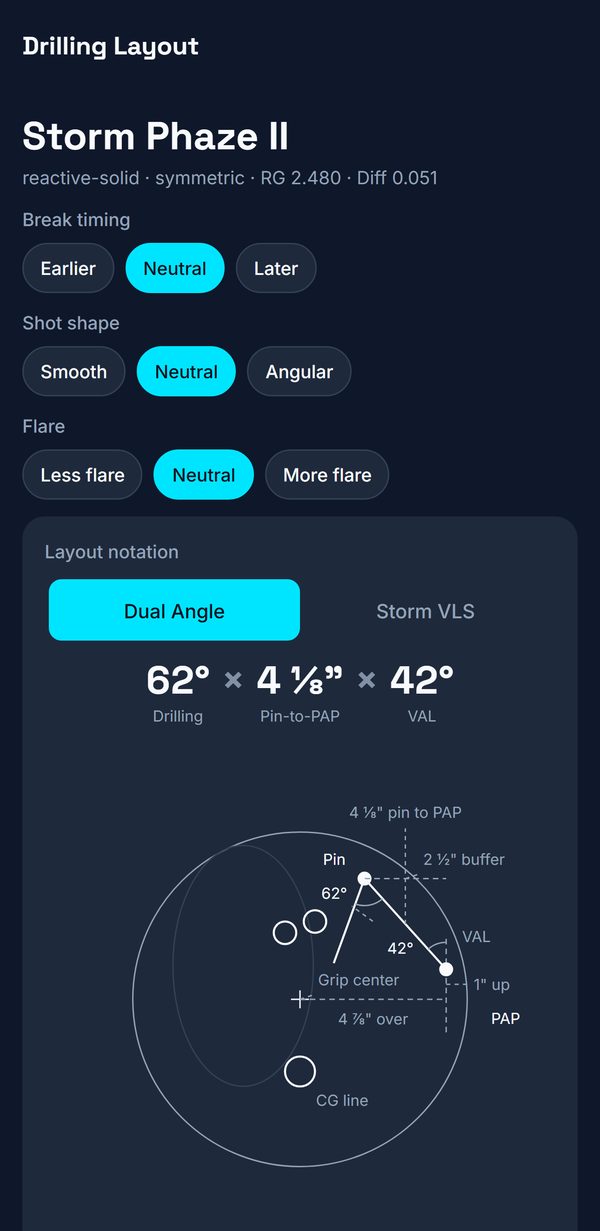
Under the suggested layout, nudge the drilling angle, the pin distance, or the VAL angle and watch the diagram and the shape change: earlier roll, sharper backend, more flare. The suggestion stays as the reference, and your pro shop still decides what gets drilled.

  • Dual Angle or Storm VLS
  • Layout explorer
  • Overhead lane view
Layout explorer with the drilling angle stepped up and the resulting shape described

See the tracked path on the lane.

Mount your phone on a tripod, calibrate the lane with four taps, and record a shot to watch the ball's tracked path. Camera frames are processed on your phone and are never uploaded. The path it estimates is shown on screen and not saved.

What LayoutQ adds at the counter.

Keep Spectre or AKM for work orders and records. LayoutQ adds the layout for this bowler on this ball, the gap in their bag, and the surface to start at, from their own numbers while they stand at your counter.

Try the demo: open the web app, tap Try the demo, then Profile › View as › Pro shop.

  • House layouts
  • Staff invites
  • Walk-in QR
  • CSV import
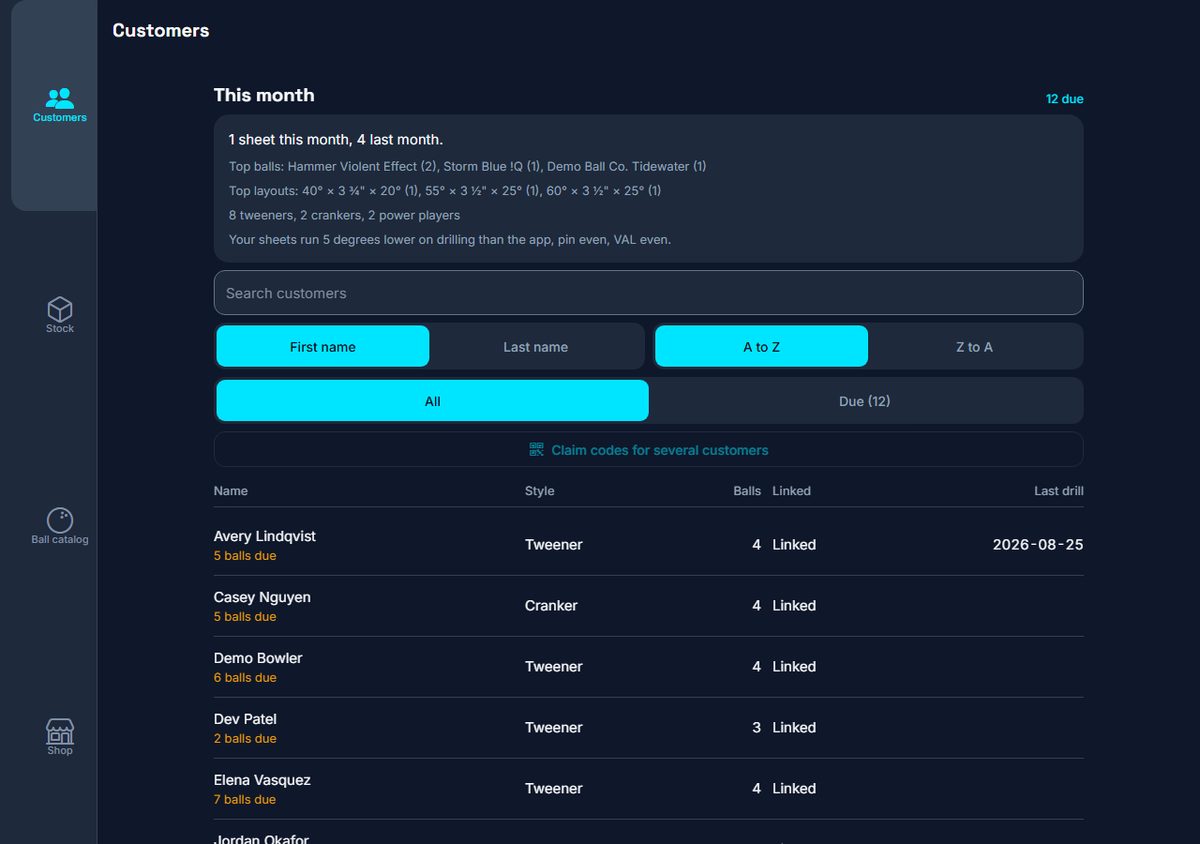
  1. Pull up the bowler

    Your customers on one screen, with their style, their bag and the date of their last sheet. Walk-ins scan the counter code and arrive with their own numbers already filled in.

    app.layoutq.com
    Customers table with style, ball count, linked status, and last drill date
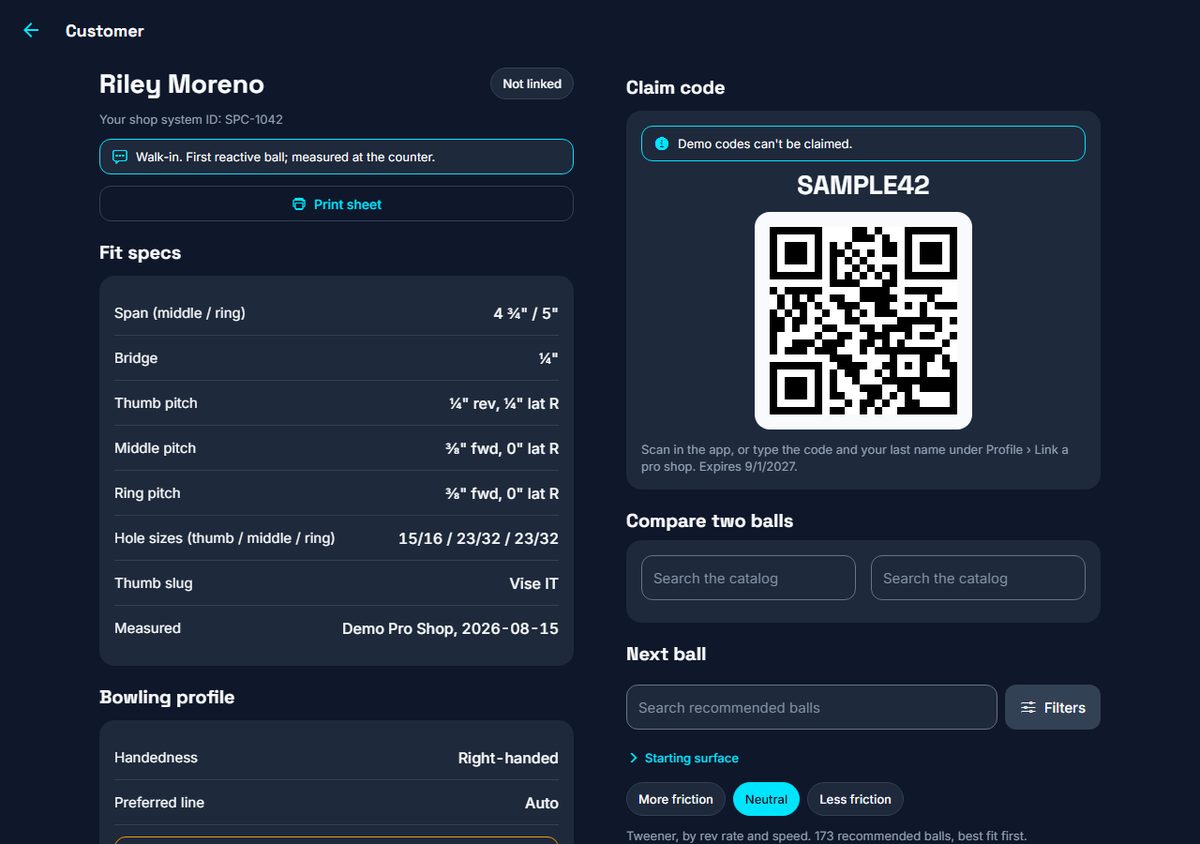
  2. Get their layout

    Their fit specs and bowling numbers, the gap in their bag, and the next ball that fills it, with the drilling angle, the pin distance, the VAL angle and the surface to start at.

    app.layoutq.com
    One customer record with fit specs, bowling numbers, arsenal, and the next ball recommendation
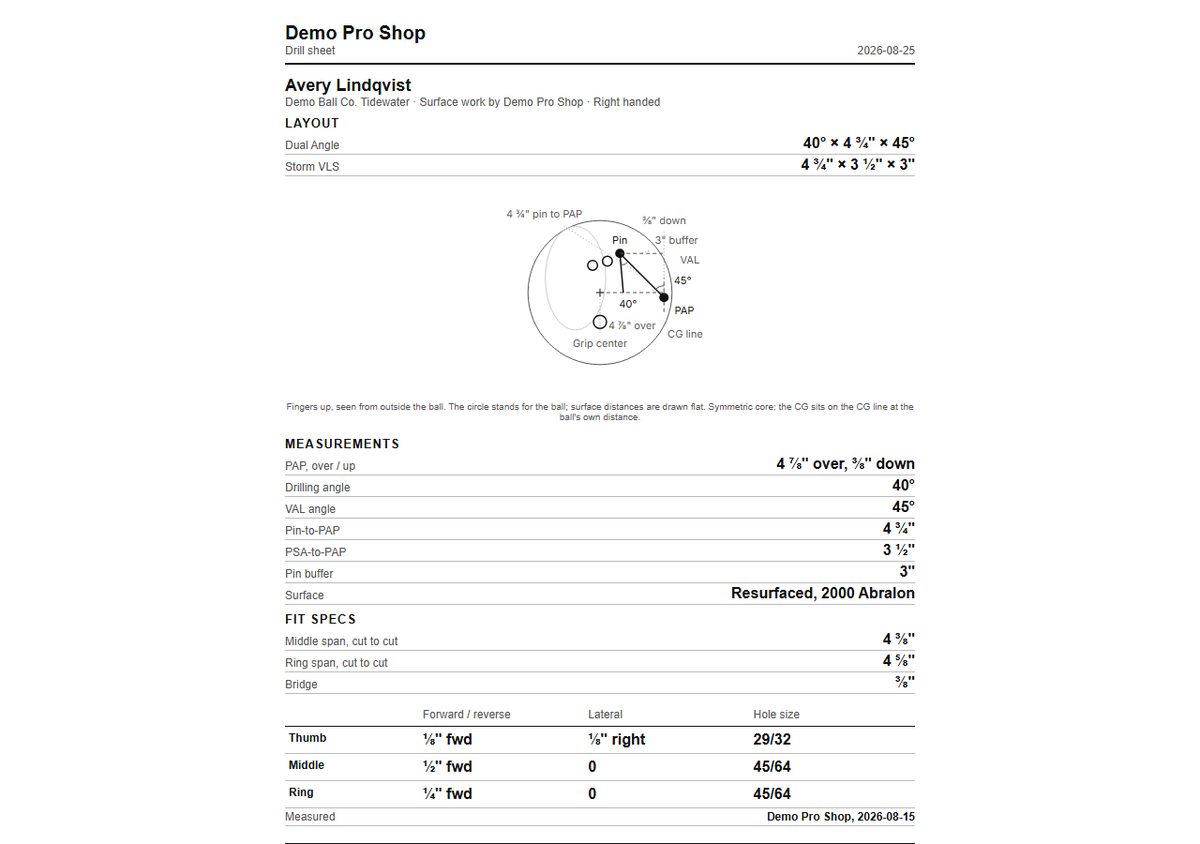
  3. Print the sheet, text the code

    A sheet with the layout diagram for the bench, and a claim code you text from your own phone that puts their fit specs and balls in their app.

    app.layoutq.com
    Printable layout sheet with the drilling diagram, the grip diagram, and the fit table
  4. Order what their bags are missing

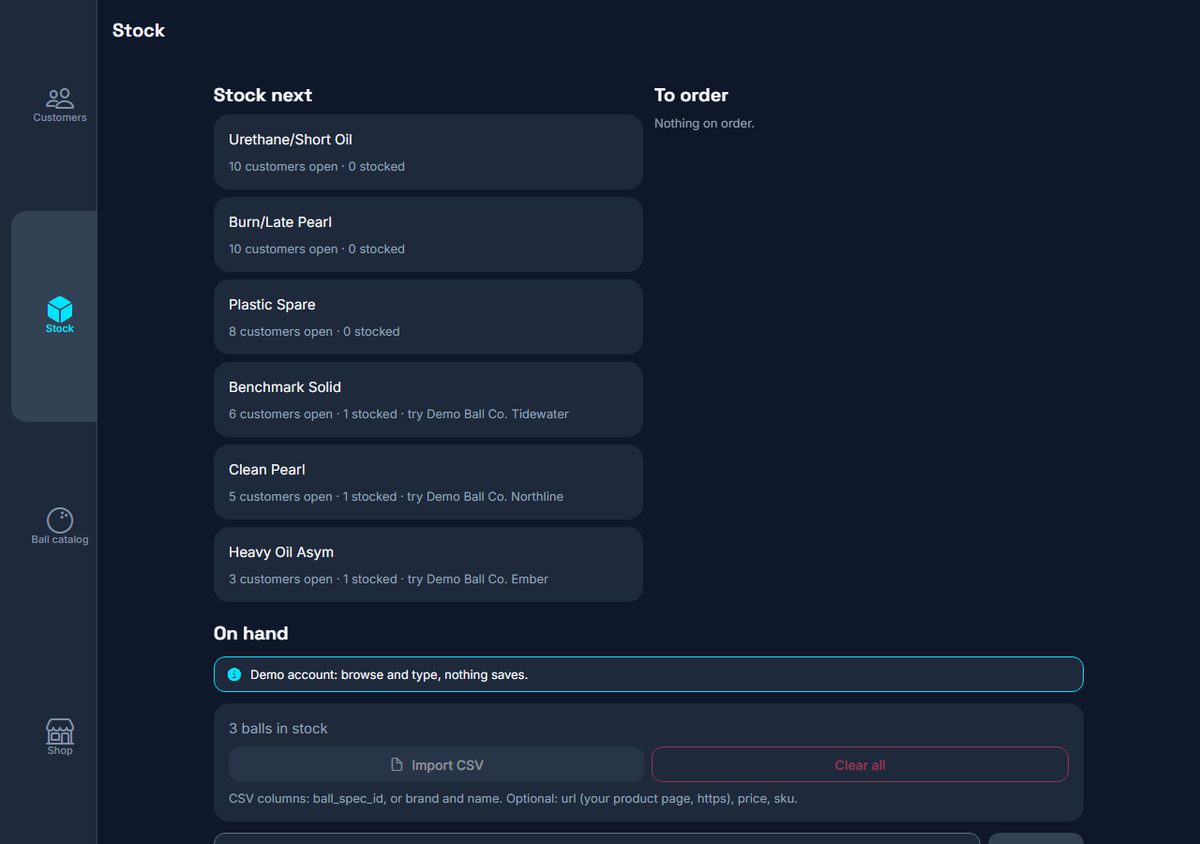
    LayoutQ's six slots ranked by how many of your customers have a hole there, a to-order list built from it, and a yes or no per ball rather than a count to keep straight.

    app.layoutq.com
    Stock tab with LayoutQ's six slots ranked by open customer demand, a to-order list, and the on-hand list

Your balls are in our catalog. The specs could come from you.

Upload balls, import your catalog by CSV, and propose spec edits from your Lineup tab. Each change is reviewed before it reaches a recommendation. Specs sourced to your own spec sheets show as "Maker's specs". Your Insights tab shows how many bags your balls are in, where your lineup has gaps, and how shops drill each ball. A count from fewer than five bags or drilled balls is not shown. Recommendations are never sponsored.

One price per shop. No plan holds back part of the engine.

Counter

Free

Up to 25 customer records. One location. The same engine as the paid plans.

Email to start Counter

Multi-shop

$39 a month, or $390 a year

Everything in Companion for up to three locations. For more than three, email us and we will arrange it.

Email to get Multi-shop

Paid plans open when billing is rebuilt. Counter is free now.

The first 20 shops get Companion at $9 a month for as long as their subscription stays active without a lapse of more than 30 days.

LayoutQ is one price per plan, and the layout math is included. The bowler app is free.

Common questions

Which phones is LayoutQ on, and where do I get it?

On iPhone it is free on the App Store at apps.apple.com/app/id6811383830. On Android it is free on Google Play. There is also a web app at app.layoutq.com that needs no install, though the camera features are in the phone apps only.

What do I need to enter before the app is useful?

Ball recommendations need your handedness, ball speed, and rev rate. Add your PAP to get a personal drilling layout instead of the benchmark. Axis tilt and rotation are optional and refine the layout further.

What is a PAP and how do I measure it?

Your Positive Axis Point (PAP) is the point on the ball's surface that your spin axis passes through at release, measured as inches over and up from the center of your grip. A pro shop can measure it for you. Enter it in Profile as whole inches plus eighths.

Is the layout a guarantee?

No. It is a starting point built from the Dual Angle Layout method and your numbers. Your pro shop should confirm it against the ball's core and your measured PAP before drilling.

Is any video uploaded?

No. Camera frames are processed on your phone and discarded. Only the resulting numbers are kept: a knee angle is saved to a game if you choose to save it, and a ball path is shown on screen and not saved.


No ads and no third-party trackers. Your data lives in your account, and you can delete it from the app in two taps.